Adaptive failure taxonomies
AdaMAST
AdaMAST checks work, records failures, and learns a project vocabulary from completed traces.
Observe concrete activity
Correlate supported causes
Map failure codes
Decide continue or repair
Install where you work
No adamast.json, external model API key, standalone host CLI, or second login
is required for the interactive path.
adamast-codex-install --user-level
adamast-doctor --codex
adamast-claude-install --user-level
adamast-doctor --claude-code
from adamast_runtime import start_session
Install the package first:
python -m pip install --upgrade adamast
From MAST to your taxonomy
- Select. A new conversation opens the local taxonomy library. Choose MAST, a stored project taxonomy, or No taxonomy.
- Work. The main agent keeps owning the task. One completed assistant episode becomes one canonical trace.
- Learn. At the default five-trace threshold, a native generator proposes an evidence-grounded taxonomy while normal work continues.
- Validate. Foreground checks verify exact spans, then a separate native support reviewer evaluates every replacement code before atomic activation. The current taxonomy stays active on failure.
When a project already has a learned taxonomy, choosing MAST creates an
isolated
fresh-* task group for that conversation. The shared
project taxonomy remains unchanged.
Inspect what AdaMAST recorded
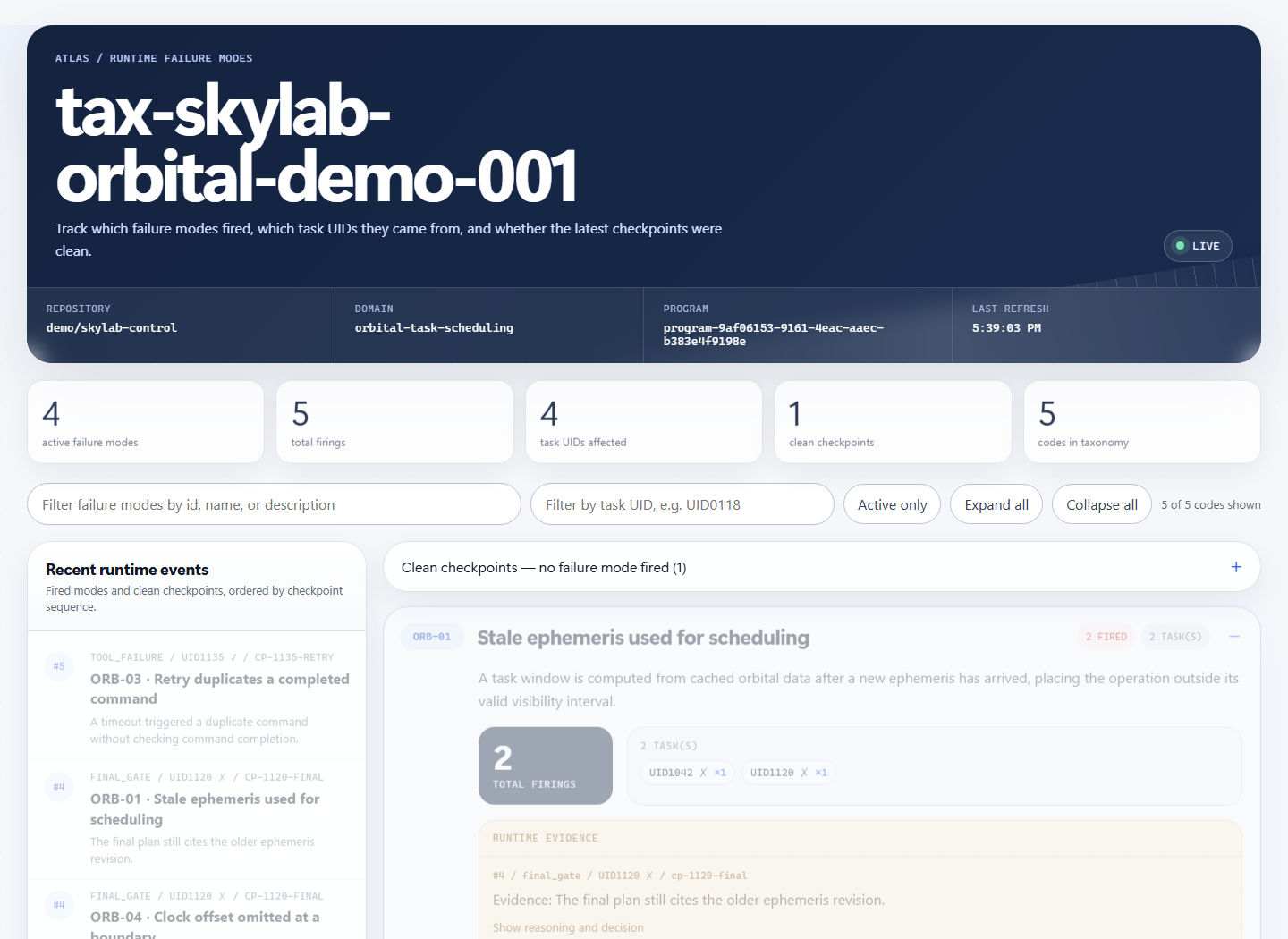
The local dashboard shows fired codes, clean checkpoints, affected task IDs, and evidence without changing the taxonomy record.
Continue from here
| You want to... | Read... |
|---|---|
| understand the vocabulary and runtime loop | Concepts |
| see which package owns each behavior | Architecture |
| configure one repository | Getting started |
| change thresholds or providers | Configuration reference |
| diagnose a queued worker or missing hook | Troubleshooting |
| review the research and evaluation artifacts | Paper and example results |